12 Best Apps for Road Trips That Keep You Moving
A great road trip rarely follows the original plan. A scenic detour appears. Someone gets hungry three exits early. A rainstorm changes the route. The best apps for road trips help you roll with it without turning one person into the stressed-out trip manager. 📱🚗
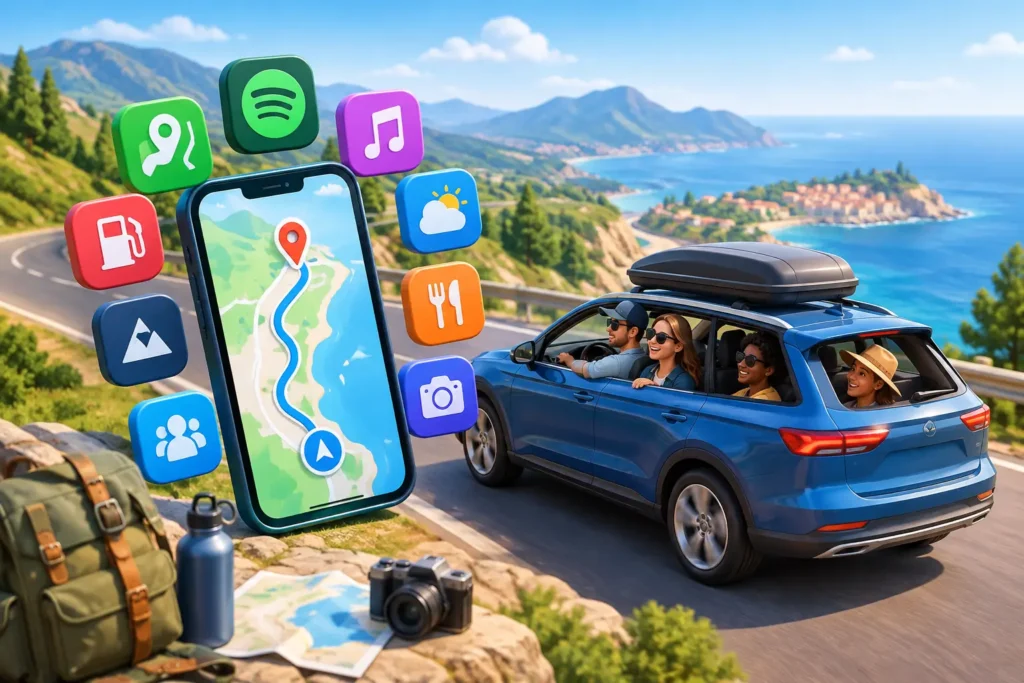
You do not need 20 apps fighting for your battery and notifications. You need a small, smart travel stack: one app to navigate, one to save on transportation, a few to find useful stops, and a way to keep your people connected. Whether you are driving cross-country, hopping between cities, or sharing a ride to a festival, these are the apps worth loading before you leave.
The best apps for road trips start with the route
1. Google Maps for the route everyone understands
Google Maps earns its spot because it does the everyday work well. Search an address, check live traffic, save places, estimate arrival times, and download map areas before you lose service in the middle of nowhere. It is especially useful when the trip includes more than driving, such as finding a bus station, walking to a viewpoint, or spotting nearby food.
For a group trip, create a shared saved list before departure. Add possible coffee stops, campsites, trailheads, and restaurants, then let the group vote without passing one phone around. The trade-off is that Google Maps can prioritize the fastest route over the most memorable one. Great for getting there. Less great when the whole point is wandering.
2. Waze for real-time driving updates
If your group is focused on arrival time, Waze is a strong co-pilot. It uses reports from other drivers to flag slowdowns, road hazards, construction, and speed changes. That can make a real difference on busy highways or a long Friday escape from the city.
Use it when traffic conditions are likely to shift fast. For scenic backroads, remote areas, or a route with limited cell service, keep an offline map backup. Community reports are helpful, but they are not a replacement for paying attention to signs, weather, and the road itself.
3. Roadtrippers for making the drive part of the trip
The best road trips have a few stories built in. Roadtrippers is made for finding those stories: odd roadside attractions, national parks, overlooks, diners, museums, and places worth a detour. Add stops to an itinerary and get a clearer picture of how much time your ambitious plan actually needs.
This is the app for travelers who would rather see the giant roadside dinosaur than shave 18 minutes off the drive. Just be selective. A map full of pins looks exciting until it becomes six rushed stops and no time to enjoy any of them.
Save money before it disappears at the pump
4. GasBuddy for fuel prices
Fuel can quietly become the biggest surprise expense of a road trip. GasBuddy helps you compare nearby prices, which is most useful when you are close to a state border, entering a tourist town, or driving a long route where the next station may be much pricier.
Do not burn half a tank chasing a few cents in savings. The better move is to check prices while you are already planning a food or restroom stop. Small choices add up when several people are splitting the cost.
5. PlugShare for EV-friendly planning
For electric vehicle trips, charging is part of the route, not an afterthought. PlugShare helps drivers locate chargers and read check-ins from other users about whether a station is working, busy, or easy to access. That real-world context matters when your battery is getting low.
Build more buffer than you think you need, especially on unfamiliar routes or in cold weather. Charging speeds, station availability, and range can change. The trip feels freer when the next charge is a planned break for lunch, a walk, or a photo stop instead of a stressful scramble.
6. Splitwise for group costs without awkward math
One friend pays for gas. Another grabs snacks. Somebody books the motel. By day three, nobody remembers who owes what, and the group chat starts doing math that should never be done after midnight.
Splitwise keeps shared expenses in one place and calculates balances as you go. Add each cost right after it happens, label it clearly, and settle up when the trip ends. It works best when everyone agrees upfront on the basics: Are snacks shared? Is the upgrade to a nicer hotel shared? Does the driver pay less for gas? Clear expectations make a better travel crew.
Find the stops that make everyone happier
7. iExit for highway stops that fit your needs
When everyone is hungry, tired, and low on patience, random exit choices can lead to bad coffee and a 20-minute detour. iExit shows services near upcoming highway exits, including gas, food, lodging, and pharmacies. It is a simple tool with a very real payoff.
It is especially handy for travelers with specific needs, such as vegetarian food, a pet-friendly hotel, or a late-night pharmacy. Check it before the group reaches the breaking point. That is when good trip decisions happen.
8. Yelp for food beyond the obvious chain
Yelp is useful when the goal is not just calories but a place people will talk about later. Search by cuisine, price, hours, and reviews to find a local breakfast spot, a great taco counter, or a bakery worth leaving the highway for.
Read the recent reviews, not just the overall star rating. A beloved restaurant may have changed hours, moved locations, or become much busier than expected. For large groups, call ahead when possible. Road-trip hunger waits for no one. 🌮
9. Recreation.gov for campsites and public lands
If your route includes camping, national parks, or public land adventures, Recreation.gov helps you look for reservable campsites, permits, and facilities. It can turn a vague idea like “let’s camp somewhere near the park” into an actual place to sleep.
Availability can disappear quickly during popular weekends, so use it early. Also check the fine print around vehicle size, arrival hours, fire restrictions, and cancellation rules. The best campsite is not always the one with the best photo. It is the one that works for your crew and your arrival time.
Keep the trip social, safe, and easy to coordinate
10. TripShare for finding people going your way
Not every road trip starts with a full car. Sometimes you need a seat. Sometimes you have room to share. Sometimes the plan includes a car for one leg, a bus for another, and a ferry after that. TripShare helps travelers post a journey, match with people along a similar route, chat in-app, and coordinate the details.
That can mean splitting a long drive, finding company for an intercity trip, or reducing the cost of an otherwise expensive ride. Meet travelers. Share rides. Split costs. Before traveling with someone new, confirm the plan, choose a public meeting point, and trust your instincts. Shared travel should feel welcoming, not pressured.
11. Life360 for location sharing with consent
For groups driving in separate cars, meeting at a trailhead, or checking in with family, a location-sharing app can reduce the “Where are you?” messages. Life360 lets approved members see one another’s location and can be useful if a car gets separated from the group.
The key word is approved. Location sharing should be a choice, not a demand. Set expectations before the trip, decide who needs access, and turn it off when the travel day ends if that feels right for everyone.
12. Spotify, Audible, or Libby for the miles between stops
A shared playlist can make a long stretch feel shorter. Spotify works well for collaborative playlists, while Audible and Libby are great when the driver wants a story instead of another debate over the aux cord. Download entertainment before you leave major service areas.
Give everyone a turn. One person might want throwback pop, another might want a true-crime podcast, and someone else may want 45 minutes of quiet. A good road-trip soundtrack leaves room for all three.
Build your road-trip app stack, not a cluttered phone
Start with the basics: a navigation app, a fuel or charging app, and an expense app if you are traveling with others. Add a stop-finder if you are on highways, a campsite planner if you are sleeping outdoors, and a social coordination app if you are matching with travelers or moving in separate vehicles.
Before leaving, download offline maps and entertainment, pack a car charger, and make sure everyone knows the rough plan for the day. Then leave a little space for the unplanned stuff. The overlook you did not expect, the diner with the best pie, and the traveler with a story to tell are often where the trip really begins. ✨